In the third quarter, Create started planning and scheduling your week for you, and it learned to publish to several channels at once. It works with your own photos, takes custom instructions for each brand profile and now reaches beyond LinkedIn company pages. Publishing also got clearer errors and more control over link previews.
Willow platform
Posts that can't be published are flagged
Improved · 21 August 2026
A post that kept failing to publish used to sit quietly in your calendar as if it were still scheduled. Posts that can't be published now get a visible error status, so you can spot and fix them right away. Editing or rescheduling the post gives publishing a fresh start.
A warning when media is no longer available
Improved · 28 August 2026
When an image or video can no longer be fetched, the post is marked with an error in the week and month view, with a tip to attach the file again. The composer also warns you before you schedule if the media has expired.
Pick which link becomes the preview
New · 19 August 2026
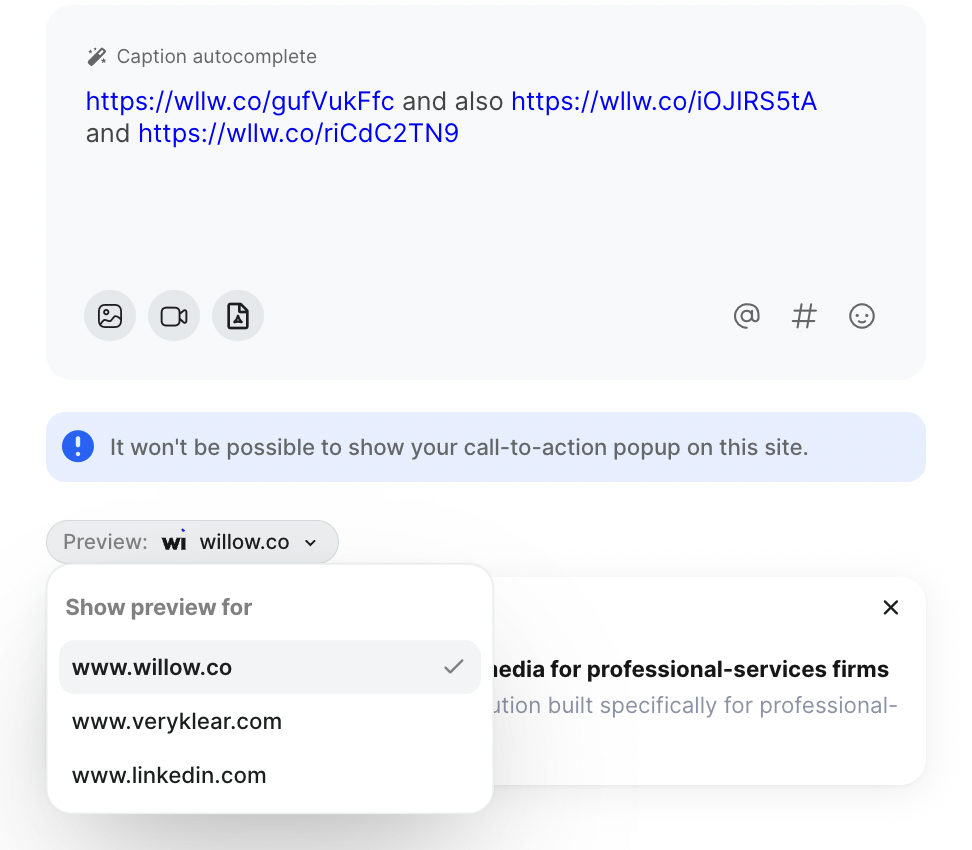
When a post contains several links, you can choose which one shows as the preview card. A small menu on the preview lets you switch between links. Only links that can produce a preview are offered, so you always get the card you intended.
More reliable company tags on LinkedIn
Improved · 17 August 2026
We improved how Willow looks up companies when you @ mention them in LinkedIn posts. The new lookup finds the right company page more reliably, so your tags are more likely to link to the correct organisation when the post is published.
Learn more in the help center: Tagging on LinkedIn.
Willow Create
Visuals on your own photos
New · 4 September 2026
Create can now design visuals on top of real photos from your profile's picture library. Photos get an overlay in your brand colours, with the text placed in the darker area, and faces are never covered. Roughly one in three visuals uses a photo when your library has them.
Add and manage the pictures in your profile
New · 4 September 2026
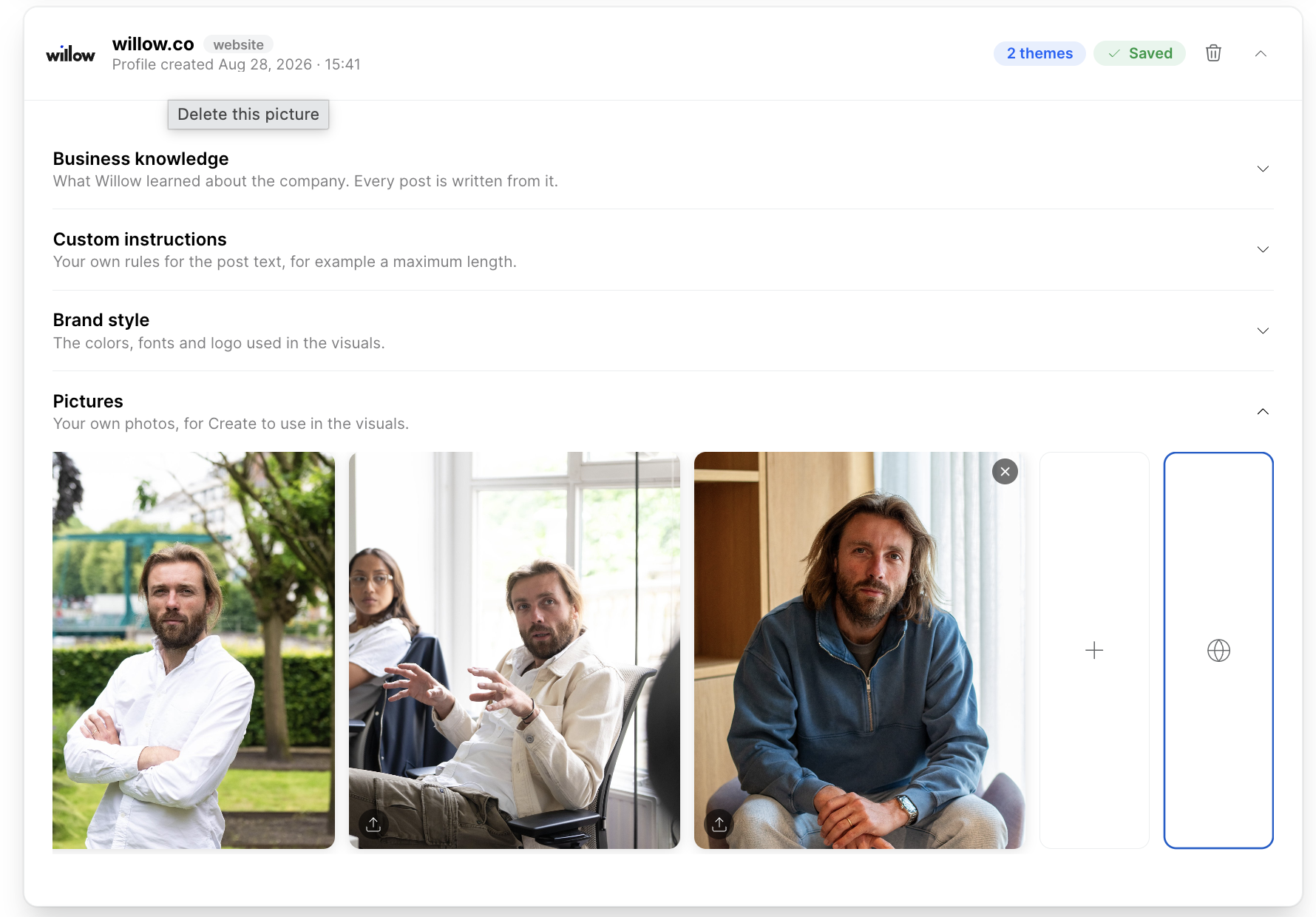
Each Create profile has a Pictures section. Upload several photos at once, browse them and remove the ones you no longer want. Photos that won't work well as a visual background are flagged on upload, and deleted pictures stay visible in posts that are already scheduled.
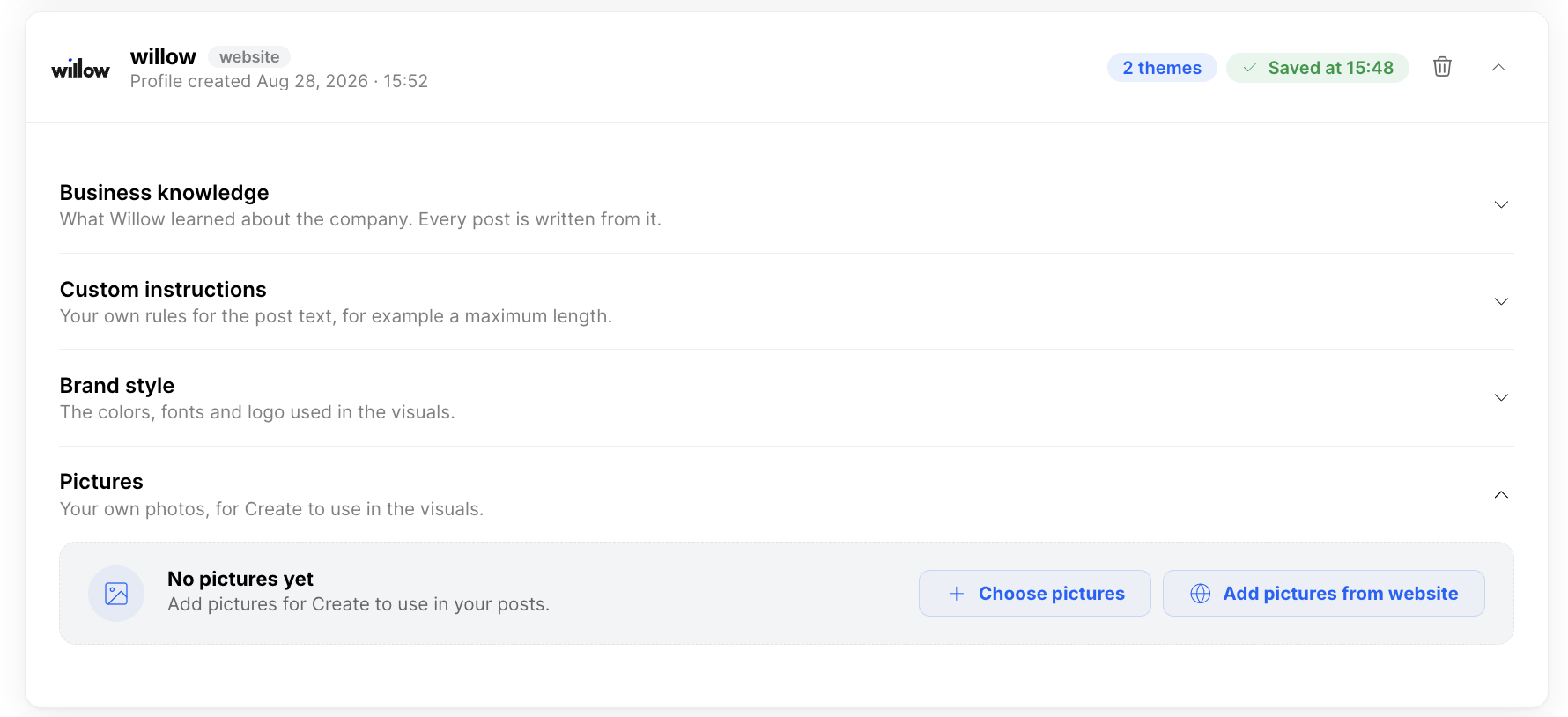
A profile without pictures starts with a short hint and a Choose pictures button. You can also drag photos straight onto it to upload them.
Publish one batch to several channels at once
New · 11 September 2026
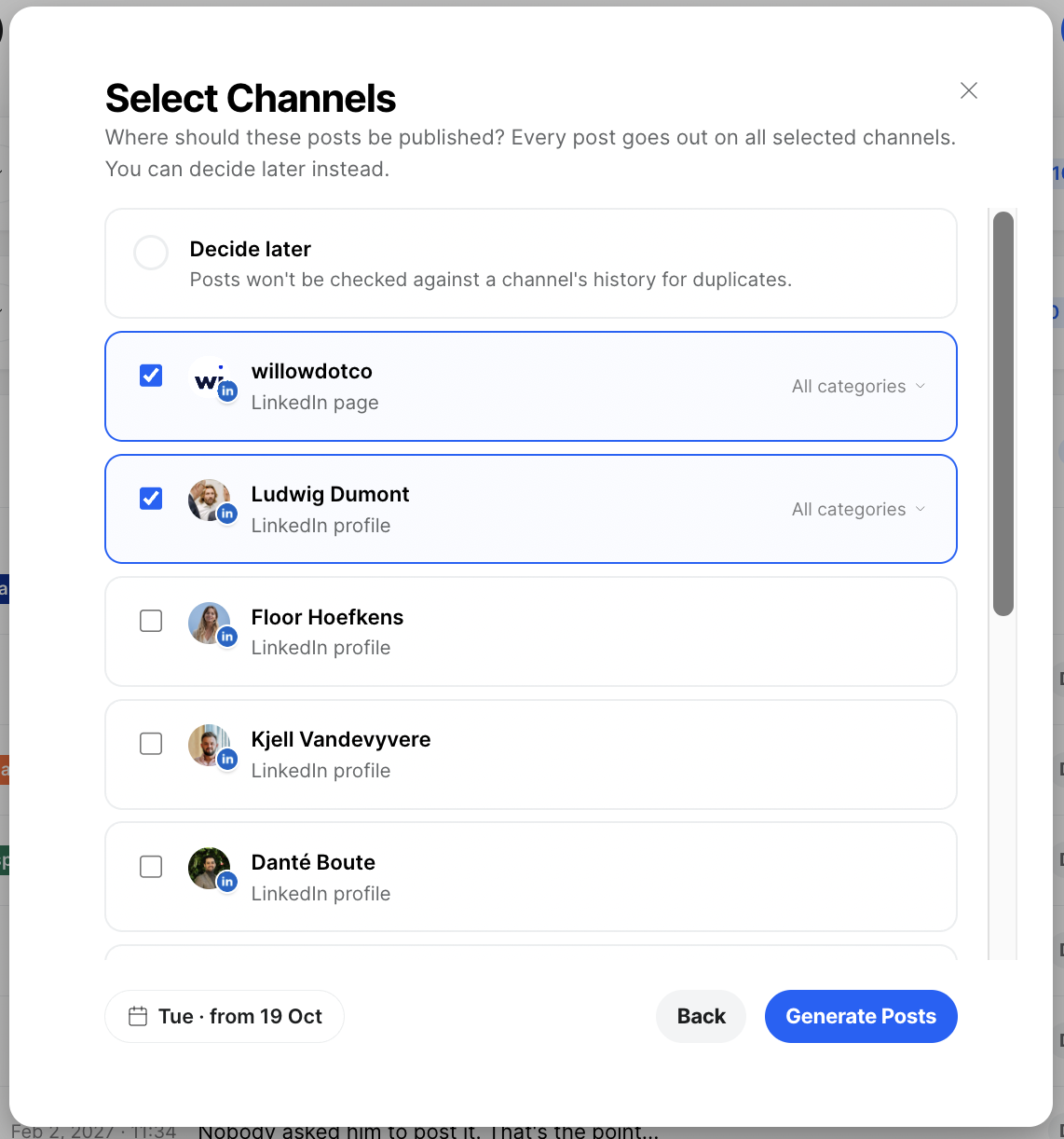
Select several channels for a single batch and each post goes out on all of them as a group. The batch shows a status for every channel: draft, scheduled, partially published or published. When you edit or open a post, you can choose which channel it goes out on.
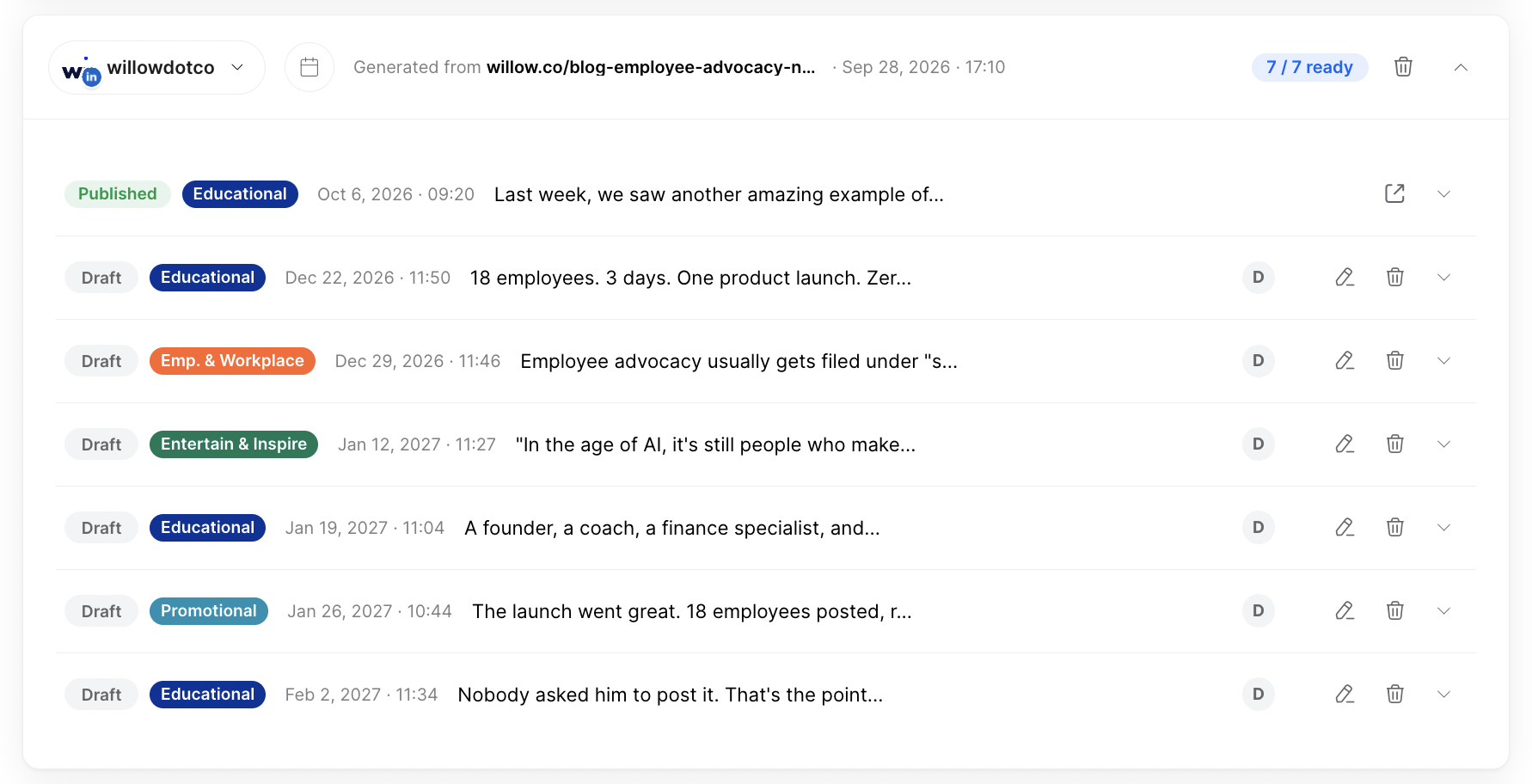
Choose which post types each channel receives
New · 18 September 2026
When a batch posts to several channels, you can pick per channel which post types it gets: educational, workplace, entertaining or promotional. A personal LinkedIn profile can take only the educational posts, for example, while the company page also gets the promotional ones.
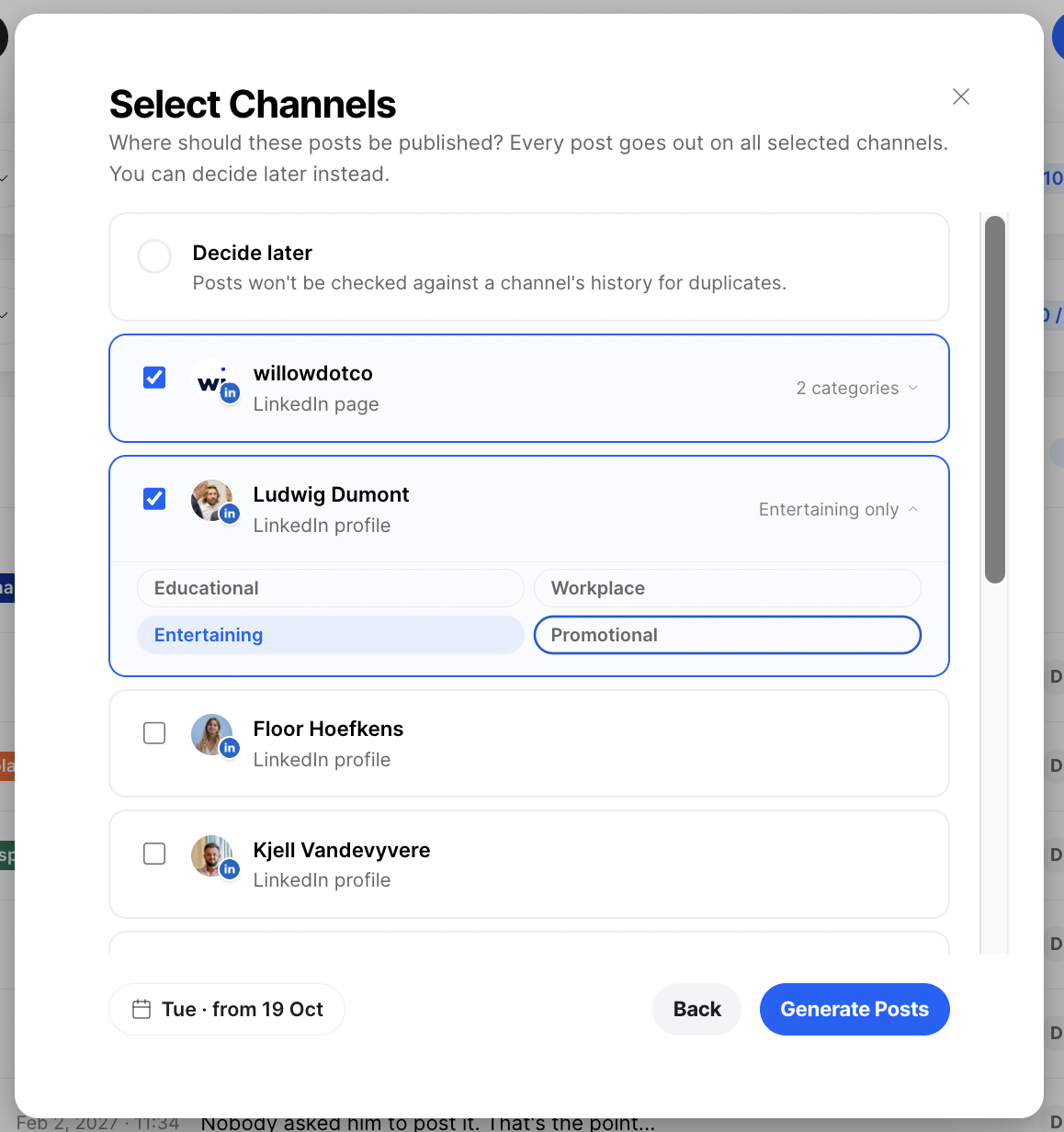
Give your batches and profiles your own name
New · 11 September 2026
Batches and profiles used to be named after their source website or file, with no way to change that. Now you click a name to rename it in place: press Enter to save, Escape to cancel, or clear the name to go back to the source name. Renamed items show their new name everywhere, next to where they came from.
No more repeated photos
Improved · 30 September 2026
Create could pick a photo that was already used in a draft for the same channel, so the same picture showed up in consecutive weeks. Drafts now count as a use, and two batches generated at the same time can no longer pick the same photo. Your pictures rotate evenly across posts.
No em dashes or en dashes
Improved · 14 September 2026
Posts written by Create no longer contain em dashes or en dashes, in English, Dutch or French. Sentences use commas, periods, colons or parentheses instead.
Create works beyond LinkedIn company pages
New · 28 August 2026
Create is no longer limited to LinkedIn company pages. You can now generate post batches for your personal LinkedIn profile, a Facebook page or an Instagram business account. You choose the channel when you start a batch and can switch it later. Instagram batches always come with a visual.
Weekly posts, planned and scheduled for you
New · 3 July 2026
For accounts on automatic scheduling, Willow now prepares your Create posts for the coming week and schedules them for you. Every week you get an email showing what was planned, with links to review the posts.
Each user can switch that email on or off in the new Willow Create section of the settings.
Series carry on until they're complete
Improved · 7 July 2026
When Willow plans new content for you, it first continues any series that has already started publishing before it starts something new. Follow-up posts are planned automatically until the series is complete, so a series you began no longer stalls halfway.
Custom instructions for your brand profiles
New · 30 July 2026
Add your own instructions to each brand profile: a tone of voice, wording to avoid or topics to emphasise, for example. Willow follows them every time it writes posts for that profile, so you have more control over your content.
Shorter, punchier posts
Improved · 9 July 2026
Create now keeps generated posts under 1,000 characters. Most used to come out much longer. If a draft runs long, it's rewritten automatically, so posts are easier to read and better suited to social media.
Your website's real logo
Improved · 22 July 2026
Generated visuals now use the actual logo from your website's header and render it in full quality. Before, Create sometimes picked the wrong image or a blurry version. Design styles without a usable logo are skipped, so every visual represents your brand correctly.
Also in Create
- Visuals match your website's fonts more often (19 August). Create recognises more of the fonts used on your website, including fonts embedded directly in the site, so your visuals use your brand's real typography more often instead of a fallback font.
- One settings menu everywhere (14 July). The settings menus show the same options in the same order, whether you open them from the sidebar or from your profile menu.
- Recognisable file names for downloads (31 July). Visuals you download now get a descriptive file name based on the post they belong to, instead of a generic name like carousel.pdf.