Tagging on LinkedIn
Tag personal profiles and company pages without LinkedIn's usual restrictions.
The best way to start tagging people and businesses is to first write your full caption and then split your caption between the different channels. Once your captions are split, you can start tagging the appropriate person/business per social media channel.
How to tag a LinkedIn personal profile via Willow
To tag a personal profile on LinkedIn via Willow, turn on caption split first, then use one of these two options:
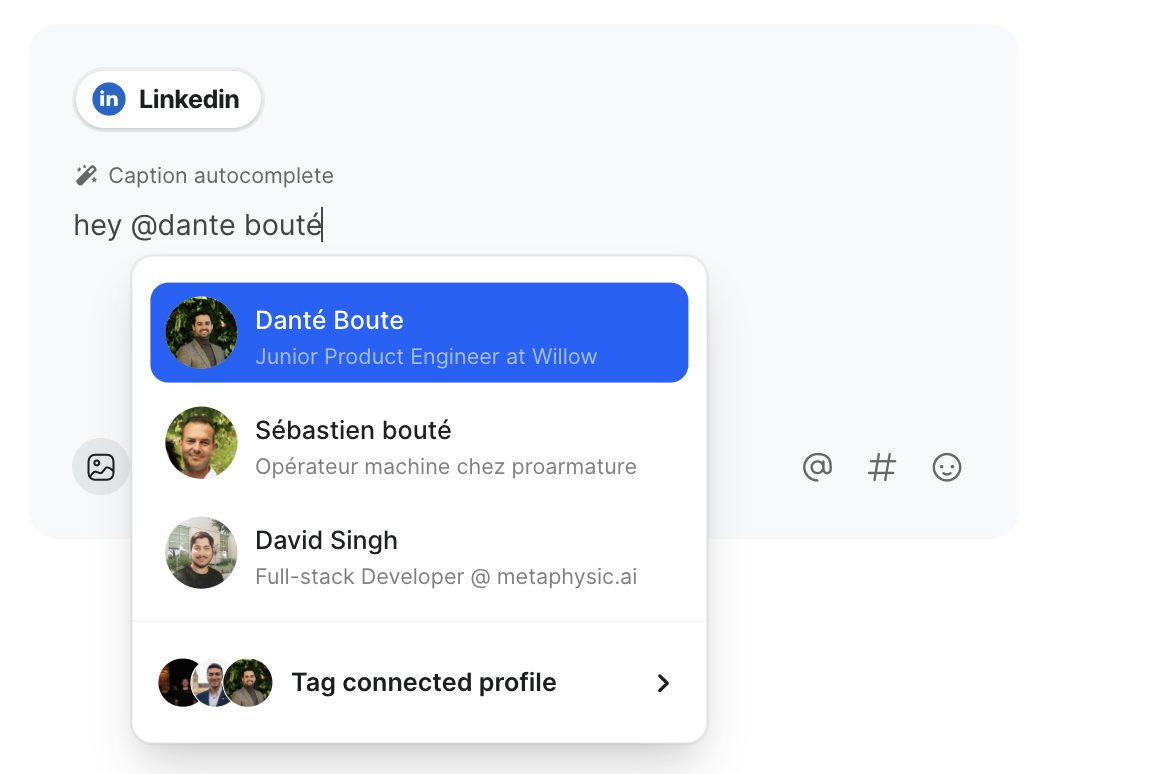
- Just write "@the person you want to tag". You will get a selection menu with one, two or three options, which usually include the person you're looking for. It even works with typos (sometimes).
- Go to the person's LinkedIn profile and copy their vanity name: "https://www.linkedin.com/in/danté-boute-832b37293/". Then type "@vanityname" or in this case, "@danté-boute-832b37293/"
The second option is the safest option, the first one is a bit easier.
If you can't find the person you're looking for using the first option, try this list to troubleshoot:
- Check if their name is written correctly.
- Try adding a space at the end of the name.
- Wait one hour and try again.
- Use the second option (vanity name)
If none of this works, this person can't be tagged because their LinkedIn settings do not allow mentions by others.
What if I can't find the right profile?
How to tag a LinkedIn company page via Willow
Tagging your own company page
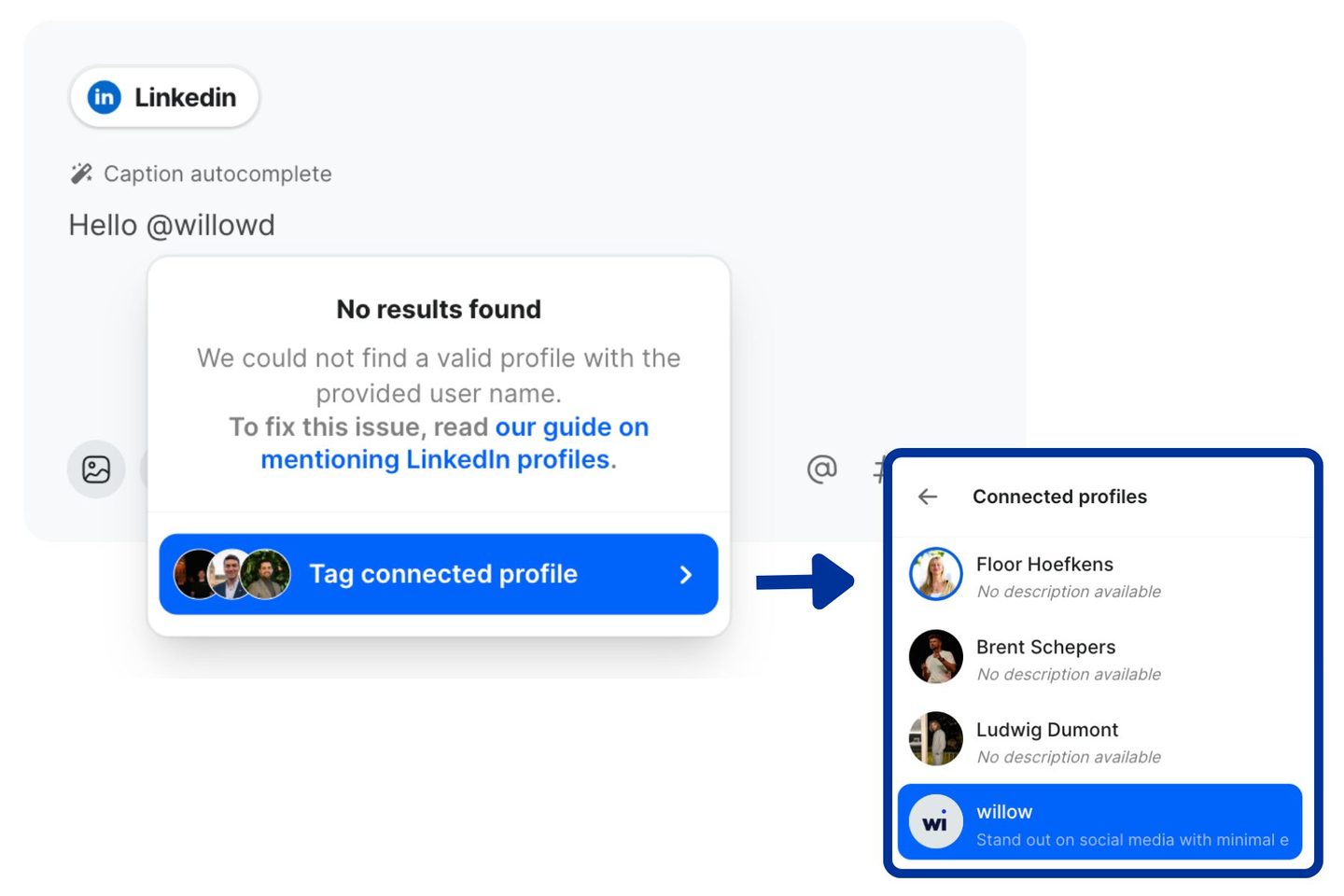
Your own company page is likely connected to Willow. To tag a connect page (or profile), start writing and then click "tag connected profile."
Select the correct page from the list.
Tagging another company page
If the person or page isn't connected to your Willow account, you can tag them in two ways.
- Just like for personal LinkedIn profiles, you can write "@the company you want to tag".
- Find the company's vanity name and write "@vanity name". For example, to tag Willow (https://www.linkedin.com/companies/willowdotco), you'll write "@willowdotco
The first option is the easiest one but it's not always reliable for company pages because some company names are quite popular. The second option is always 100% reliable.
Still stuck?
Your coach answers within 1 business day — no ticket queue.