In the second quarter, Create got to know you better. It reads your files, images, audio and video as sources, designs branded carousels, plans connected series, and lets you edit your brand colours, logo and visuals without leaving Create. Analytics gained charts and posting streaks.
Willow platform
New analytics charts and posting streaks
Improved · 14 April 2026
Your content analytics now break down your posting activity by source in detailed charts, and they track streaks of consecutive weeks in which you posted. Deleted and expired posts are no longer counted, so the numbers give a more accurate picture of your actual performance.
Learn more in the help center: Reviewing your analytics.
Willow Create
Create is opening up to more customers
Create started rolling out in February, to beta users: a mix of new and existing customers. In June, we began opening it up to more customers.
A fresh look for Create
Improved · 16 June 2026
The Create page has a new look. Post rows, the LinkedIn preview, page headers and loading states are redesigned to be cleaner and easier to scan. Reviewing, approving and scheduling your suggested posts feels smoother as a result.
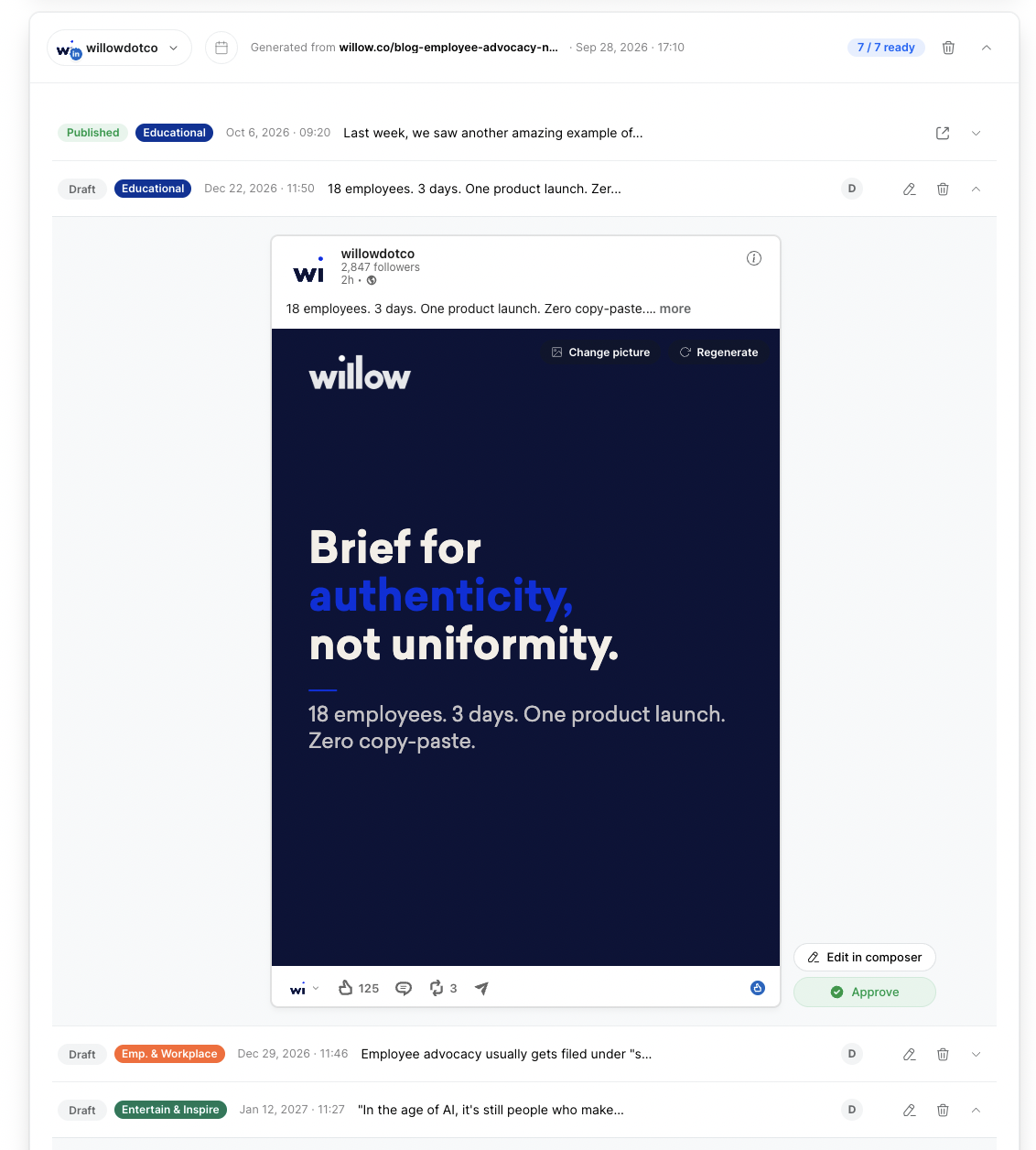
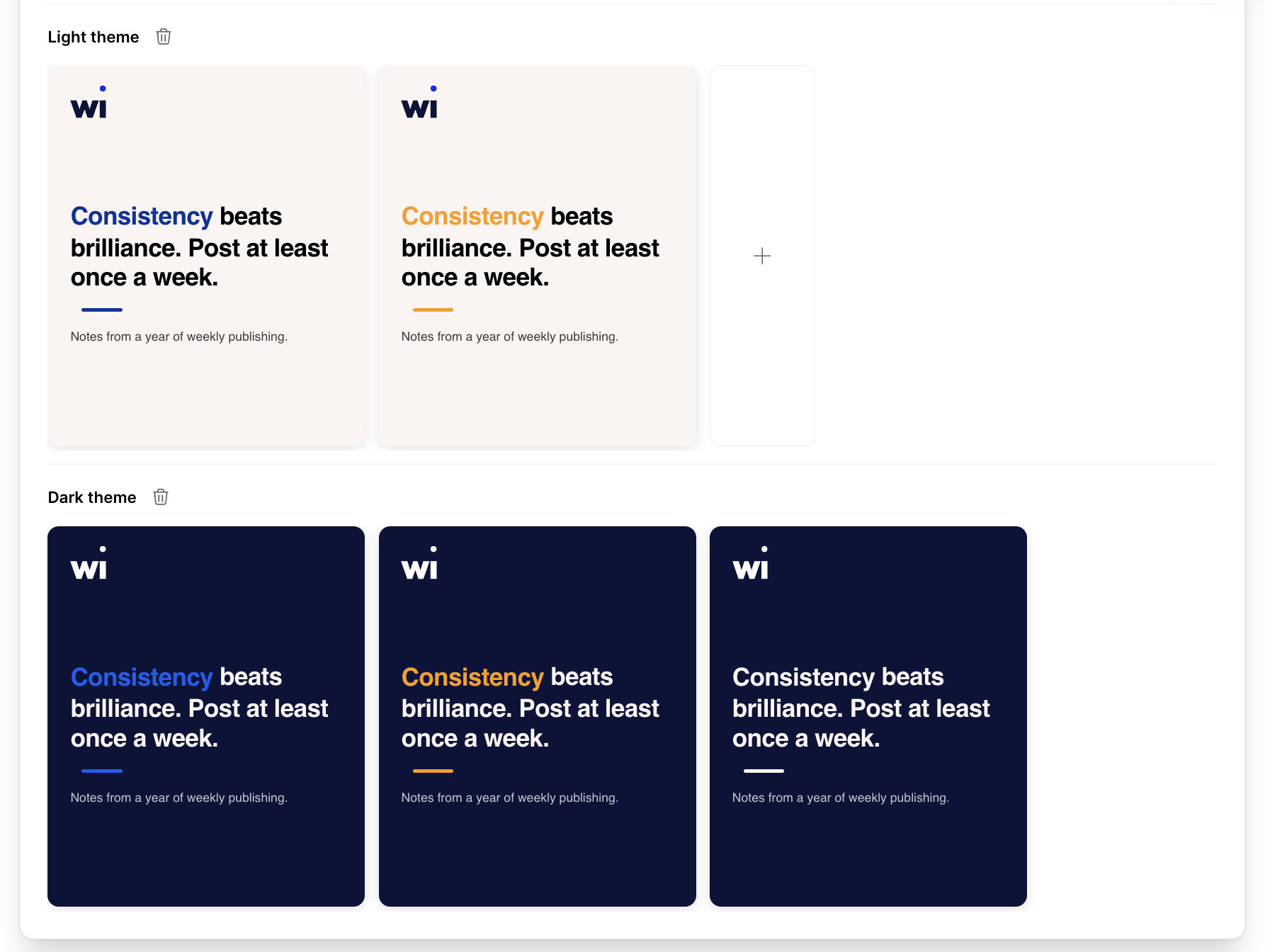
See your brand profile at a glance
Improved · 4 June 2026
Each profile card now shows how your brand looks. Every theme, light and dark, gets a collapsible row with your brand colours, logo and fonts as a mini carousel. Expand a profile and you see how your brand will appear in generated posts.
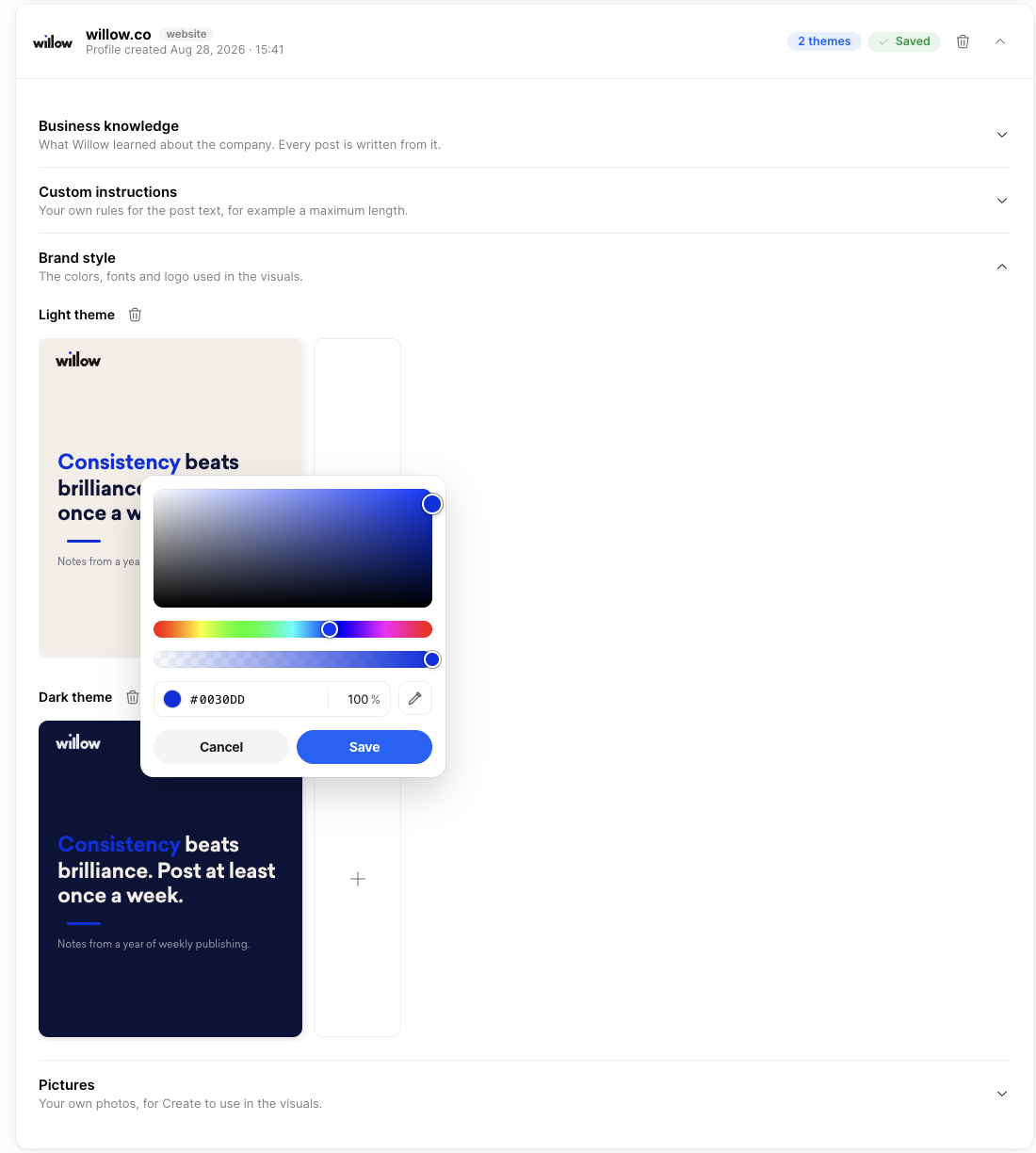
Edit your brand colours
New · 5 June 2026
Click any colour in a theme to adjust it, gradients included, and preview the result instantly. New visuals use your updated palette straight away.
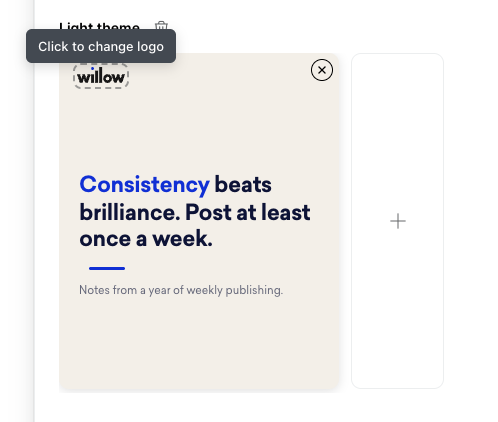
Update your logo from the brand profile
New · 9 June 2026
Upload a new logo straight from the brand profile card. It's used in all newly generated visuals, so your images carry your latest branding without any extra setup.
Logos pulled from your website are also trimmed of the empty space around their edges now. They sit tighter and better centred on your visuals and across your brand profile.
Edit the text on generated visuals
New · 8 June 2026
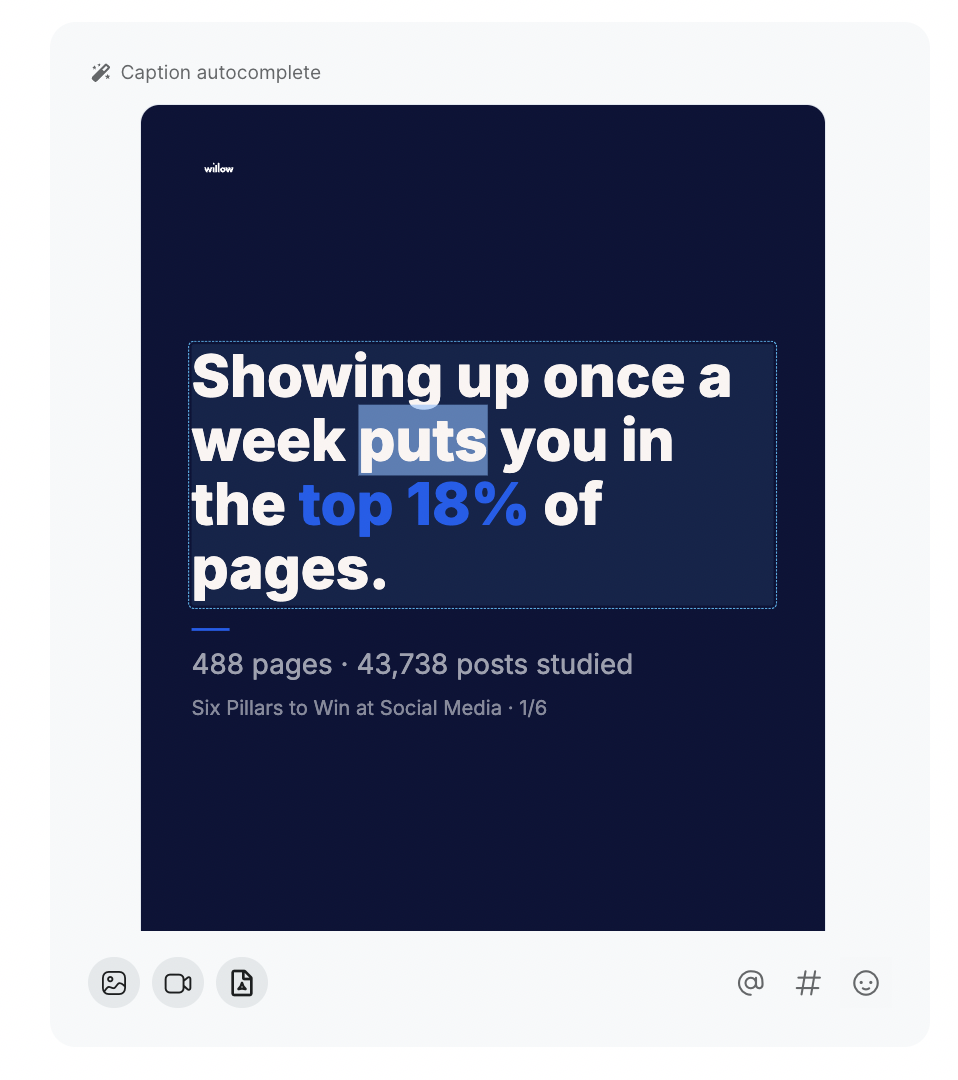
Edit a generated visual right in the post composer. Change the text on the image and it's re-rendered in place. Your edits are kept when the post is published, so the visual always matches exactly what you approved.
Regenerate a visual with one click
New · 12 June 2026
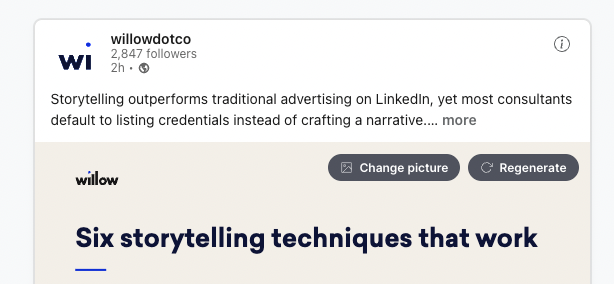
Not happy with a generated visual? Hover over the image on a Create post, choose Regenerate, and a fresh visual is generated from scratch. A loading indicator shows while the new image is prepared.
Share carousels to Instagram and your other channels
New · 26 June 2026
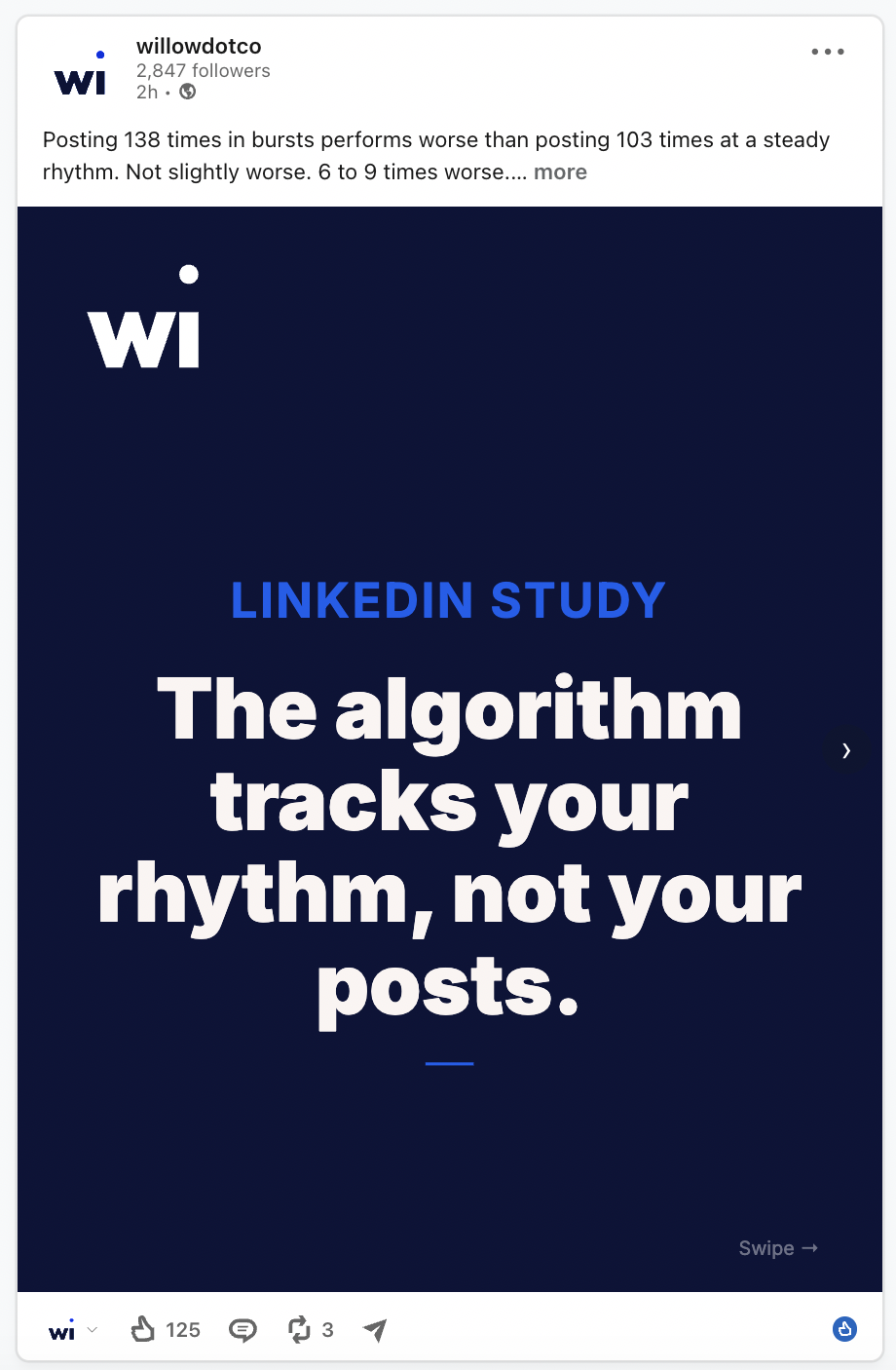
Carousels you create in Create can now be shared to Instagram and your other channels, not just LinkedIn. They're recognised as proper image posts, so you can publish the same carousel everywhere without rebuilding it for each network.
Stronger suggestions in every batch
Improved · 2 June 2026
Weak ideas are now filtered out early. Suggestions that score too low to ever make it onto your calendar are removed up front, so a batch only contains ideas that are strong enough to get scheduled.
Plan a connected series
New · 7 May 2026
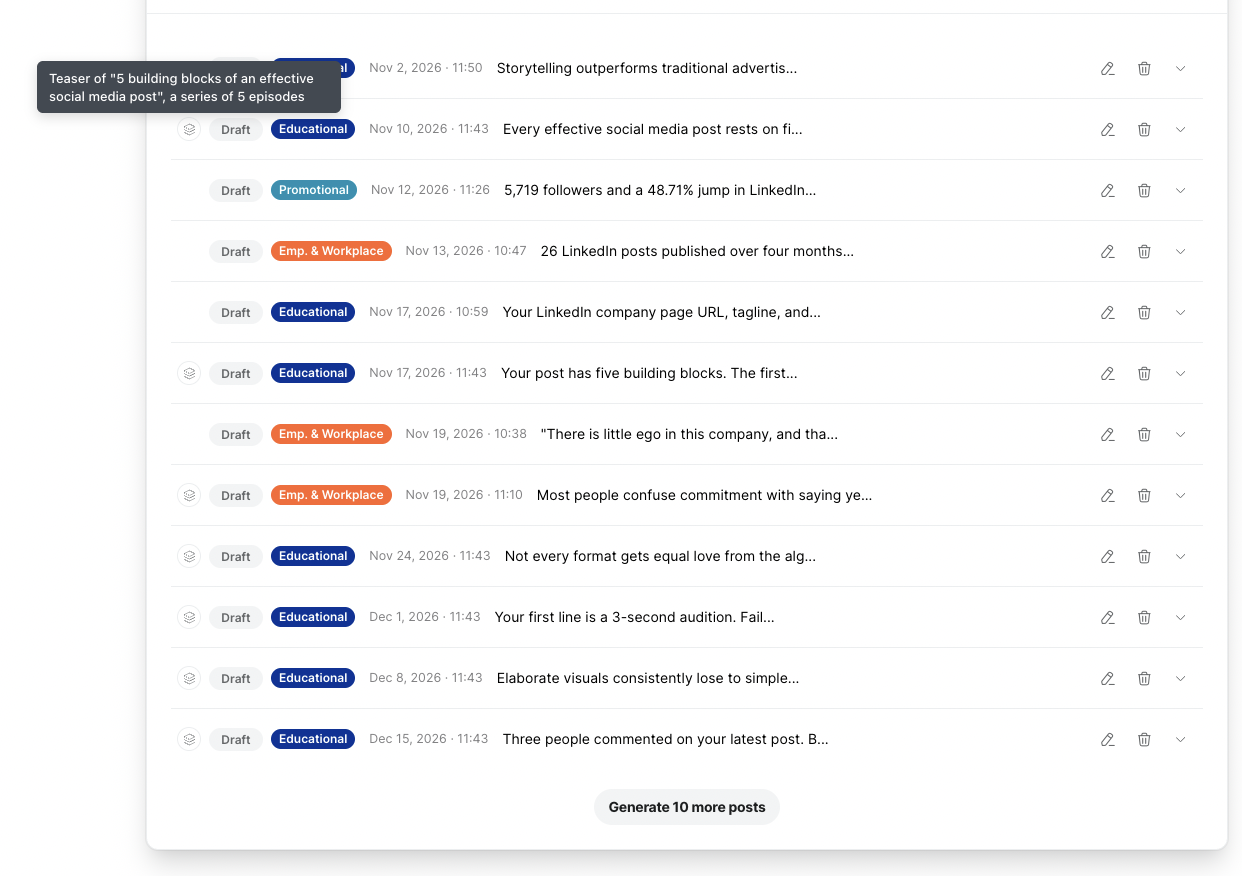
Some sources hold a list, a framework or a numbered set of items where each item deserves its own post: definitions, examples, steps. Create can now turn those into a connected series, with one teaser plus an episode per item, scheduled as one coherent run.
Episodes weave the series idea into the content without quoting the series name, which keeps them natural to read.
Generate more posts on demand
New · 18 May 2026
Each batch now has a Generate more posts button. One click adds more drafts that follow the same plan and style as the batch you're working in.
Duplicates are flagged, not removed
New · 11 May 2026
When Create judges a generated post to be a duplicate of an existing one, the post stays in your batch with a small D badge. Hover over the badge for a short explanation and a link to the original post, then decide whether to keep, edit or delete it.
Posts from team and careers pages
Improved · 19 May 2026
Pages that describe open roles or individual team members used to be skipped. Each named person and each open position now counts as its own topic, so these pages can inspire posts too.
More natural Dutch and French
Improved · 20 May 2026
Dutch and French posts are now written from hand-translated writing guidelines instead of an automatic translator. They sound more natural and follow the same length and formatting rules as English posts.
Your real brand fonts
Improved · 29 May 2026
If your brand uses custom fonts hosted on your own website, such as Museo Slab or Satoshi, generated visuals now pick them up automatically instead of falling back to a generic font. Your posts look on-brand even when your fonts don't come from Google.
Visuals stay legible on phones
Improved · 29 May 2026
LinkedIn shows generated visuals at roughly a third of their original size on mobile, which made body text and labels hard to read. We tuned the text sizing so secondary text stays clearly legible on a phone.
Branded visuals and PDF carousels
New · 2 April 2026
Create now builds LinkedIn visuals and PDF carousels that match your company's look and feel. It reads your brand colours, fonts and logo from your website, then generates images tailored to each post.
Upload files as content sources
New · 16 April 2026
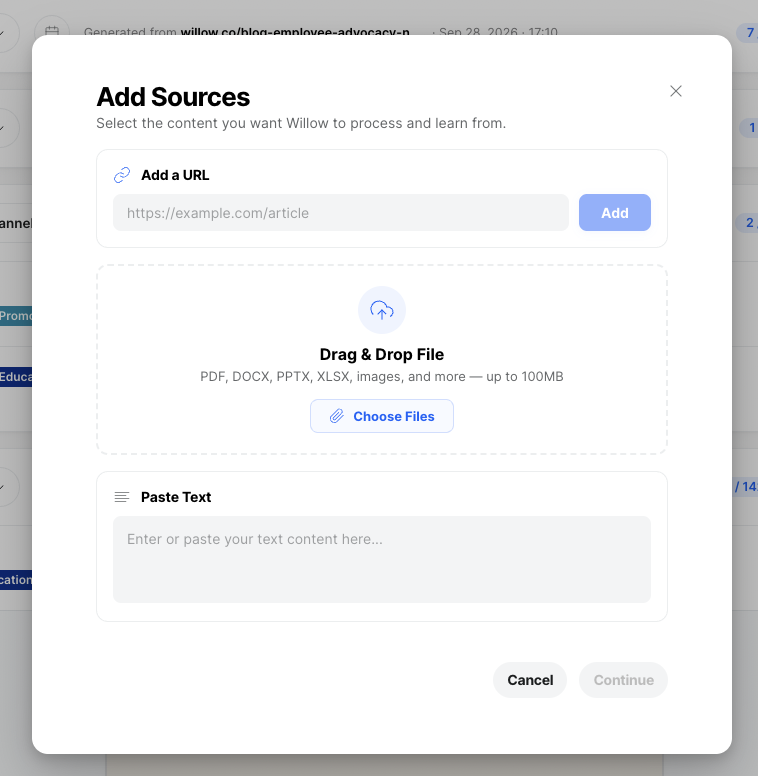
Upload PDFs, images, Word documents, Excel spreadsheets and PowerPoint presentations as sources for your posts. Drag and drop a file or paste text straight in, and Create extracts the key information and writes posts from it.
Images, audio and video work as sources too
New · 22 April 2026
Create reads images with vision, transcribes audio recordings and processes videos for both speech and key frames, alongside documents and web pages. PDFs with charts and diagrams are analysed visually as well, so information that text extraction alone would miss ends up in your posts.
A more advanced AI engine
Improved · 2 April 2026
Create now runs on a more advanced AI engine. Posts have better structure and readability. Content in languages other than English is also significantly better, with more accurate and natural-sounding translations.
Visuals that match the timing of your posts
Improved · 3 April 2026
Generated visuals now take into account when your post goes live. That prevents outdated references in your images: a visual no longer mentions a past event when the post is scheduled for after it ends.
Fewer repeated topics
Improved · 16 April 2026
Create now checks new ideas against your last 90 days of published and scheduled posts, not just the current batch. You see fewer repeated topics and fresher suggestions across everything you've planned.
Tell us why you deleted a post
New · 22 April 2026
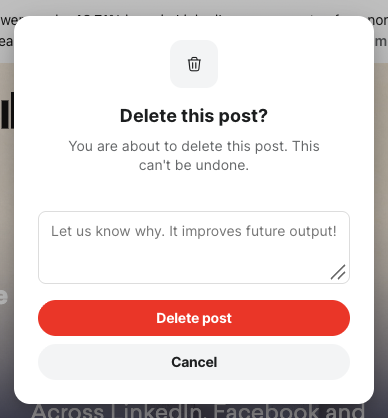
When you delete a generated post, you can now tell us why if you like. A person evaluates your feedback, so it isn't applied automatically, and it helps us improve future output.
Also in Create
- Upload any file type as a content source (23 June). You're no longer limited to a fixed list of file types when you add documents as sources. Presentations, spreadsheets, reports and more all work, and Willow uses what it can to inspire your posts.
- Fewer duplicate series posts (25 June). Create now checks the opening post of every multi-part series for duplicates, not just single posts, so two very similar series aren't suggested at the same time.
- Delete profiles you no longer need (3 June). Profiles that are still used by an active batch are protected, so you can clean up without breaking anything that's still running.