Assigning categories to a post
Tag drafts by content type to keep your content mix balanced.
What are categories?
We like to define our social media posts with a content category. Willow has created five different categories that can be used in your content mix: Educational, Entertain & Inspire, Personal, Promotional, Employees & Workplace.
How to assign a category to your scheduled post?
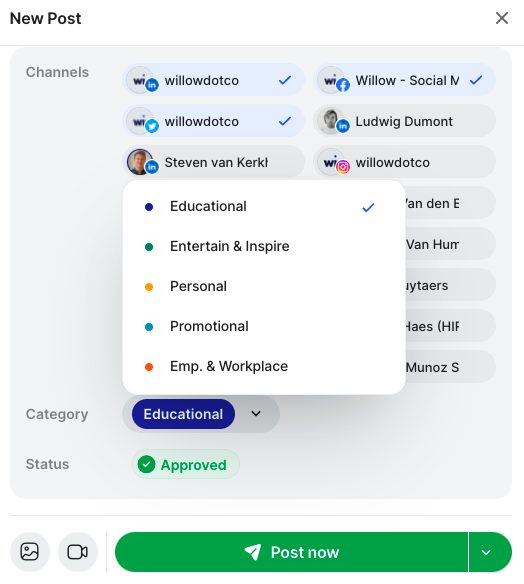
There are two different ways to assign categories to your posts. The first way is to change the category directly from the creator when you go to schedule a post. Click on the drop down arrow and change the category before scheduling the post.
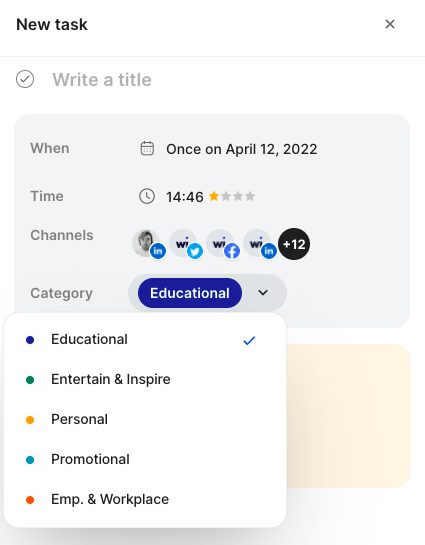
The second way is to assign a category when you create a new task in your schedule. To do this you go to "Calendar", "Add tasks", and under "Category" click the drop-down arrow and change to your desired post category. This will assign the category to all posts that fall under that task.
What is the advantage of assigning a category to a post?
The main goal of assigning a category to the posts in your schedule is to keep your content varied day to day. You don't want to become too repetitive or bore your audience by posting the same content category every single day.
It is also easier review your content performance in your analytics.
Still stuck?
Your coach answers within 1 business day — no ticket queue.