Posting a carousel on LinkedIn
Upload and order a multi-page carousel for LinkedIn.
What format should you use?
There are a few limits on what can be submitted as a carousel:
- The file type must be a PDF.
- Files can be no larger than 100mb or 300 pages.
If your PDF is too large, follow these steps:
- Go to Smallpdf.com/compress-pdf.
- Click the Choose Files button, or drag and drop your PDF into the upload area.
- Once uploaded, choose your desired compression level (Basic or Stronger compression).
- Click Download to save your compressed PDF file.
Note: Smallpdf allows a few free compressions per day, with the option to upgrade for unlimited use.
How to upload a PDF to Willow
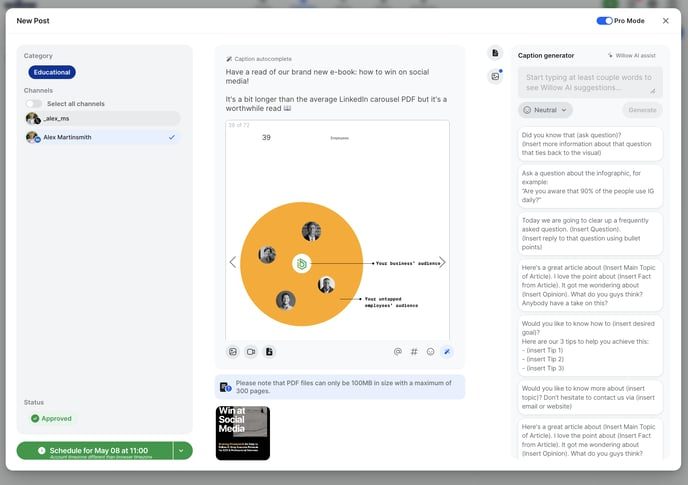
1. Create a new post.
2. Make sure the PDF you want to upload has an acceptable name. This will be visible.
3. Click the PDF attachment button at the bottom left of the composer. You'll then be prompted to add a PDF.
If you have channels other than LinkedIn selected, you'll be asked to remove these. No other social platforms apart from LinkedIn support the use of PDF documents.
All you then need to do is upload, write your caption and schedule the post!
Still stuck?
Your coach answers within 1 business day — no ticket queue.