A calendar built for consistency.
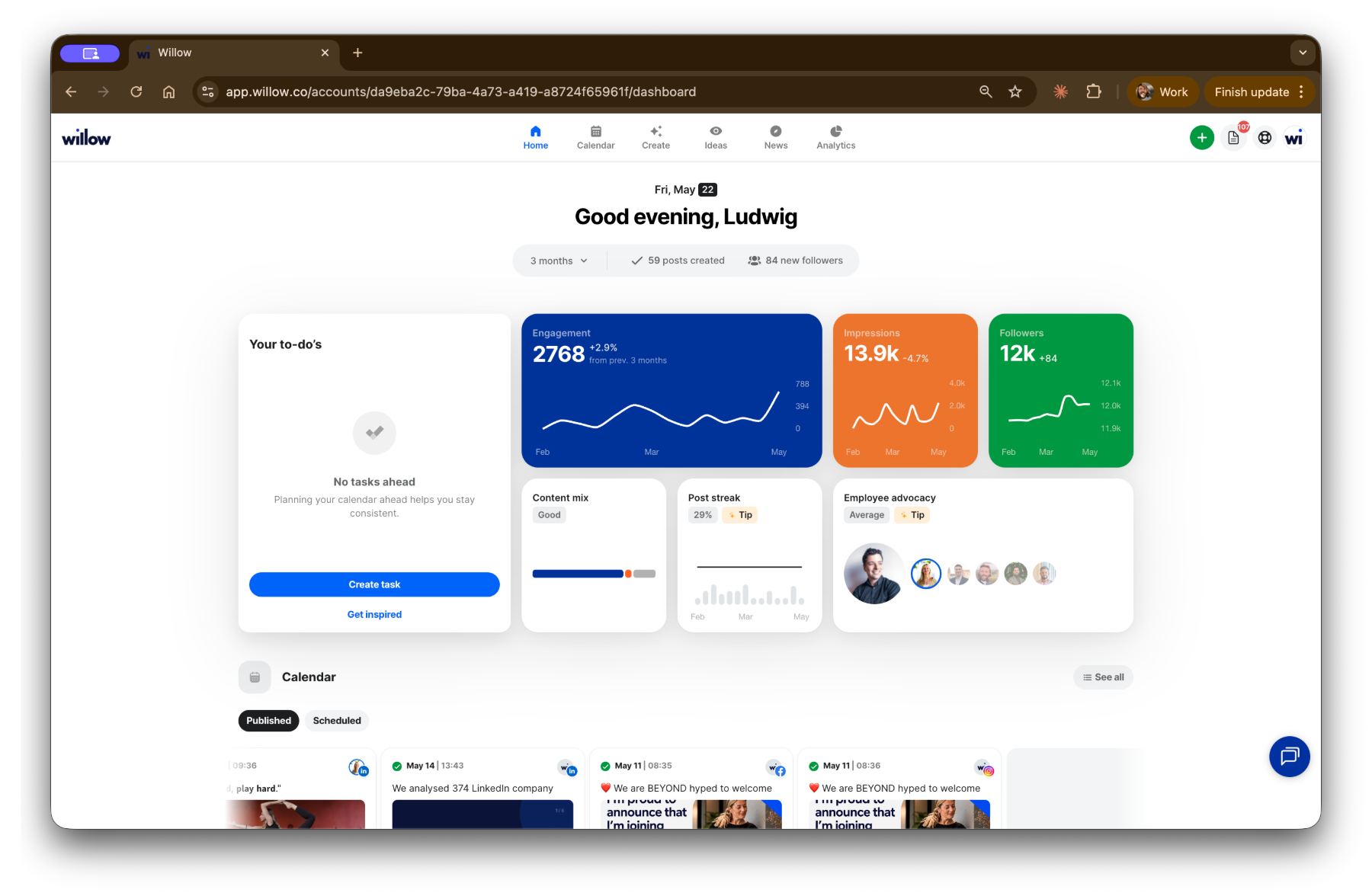
Willow drops a personalised, quarter-long content calendar straight into your platform — drafted in your voice, ready to review.
Planable is built around content approval and client sign-off. Willow goes a step further — it creates the content, publishes without scheduling limits, and adds analytics, LinkedIn tagging and a dedicated coach.
Willow drops a personalised, quarter-long content calendar straight into your platform — drafted in your voice, ready to review.
The same criteria, side by side. Willow leans done-for-you content and coaching; Planable leans review and approval workflows.
Last reviewed:
| Feature | WillowThe B2B social engine | PlanableApproval-focused collaboration |
|---|---|---|
| Location | Ghent, Belgium | Delaware, US (registered) |
| Getting started & support | ||
| Free trial | Willow has a 14-day free trial for the social media platform. | No time-limited trial; the first 50 posts are free, no credit card required. |
| Pricing | The pricing packages of Willow are very straightforward. Kickstart and Pro both include the full platform and AI tools; Pro adds more Willow Create posts, custom templates and design. Plans cost €291/month with quarterly coaching sessions and €538/month with monthly social media coaching, billed yearly. Plans have 20 channels and unlimited users. | Basic $33/month per workspace: 60 posts, unlimited users, analytics a $12 add-on. Pro $49/month: 150 posts, 10 pages. Analytics ($12) and social inbox ($7.50) are paid add-ons on every plan. Billed yearly. |
| Coaching | ✓Users with a Kickstart or Pro plan have access to monthly or quarterly social media coaching with a dedicated expert. | –Help Center with tutorials and best practices, but no dedicated strategic coaching. |
| Support | Users can reach out to native English and Dutch support staff. Willow has a dedicated account manager per customer. | Knowledge base on Basic, chat support on Pro, dedicated account manager on Enterprise. |
| Publishing & scheduling | ||
| Scheduling | Willow allows for unlimited social media scheduling without time horizons. | Basic schedules 60 posts/month and Pro 150; Enterprise is unlimited, with approval flows. |
| LinkedIn tagging | Tag people on LinkedIn without restrictions. | LinkedIn tagging covers pages and followers' personal profiles. |
| Best time to post | Willow has best time to post recommendations based on years of customer analytics. | Best Time to Post recommendations based on past engagement data. |
| Analytics & reporting | ||
| Analytics | Detailed analytics per channel with clean data visualisation. | Post-level analytics — likes, comments, shares and reach across platforms — as a paid add-on on every plan. |
| Link tracking | ✓Link tracking is possible for all links that are uploaded to social media posts. | –No built-in URL click tracking for scheduled posts. |
| Data export | Users can export their analytics as a clean visual pdf. | Export analytics data as a report. |
| Content, AI & inspiration | ||
| AI & content generation | Willow creates custom social media calendars and LinkedIn captions (Willow model) for customers with a Kickstart, Pro, Elite or Extra plan. | AI assistant generates post captions from prompts. |
| News & discovery | ✓Willow users can get ideas from newspapers, RSS feeds and keyword monitors in their dashboard. | –No features for news or content updates. |
| Post inspiration | ✓The platform also includes best practices and topical calendars for post inspiration. | –No built-in best practices or content inspiration feed. |
| Academy | Willow also provides extensive guides on social media fundamentals. | Free or downloadable reports, guides and playbooks |
Competitor plans, prices and features change often. Always check Planable’s own website for the most recent and accurate information.
We'd rather you decide on the evidence. Have ChatGPT or Claude compare Willow and Planable on real user feedback: day-to-day effort, content quality, strategic value and cost versus value.
A 30-minute demo, no commitment. We'll model your firm live and show you the calendar, the drafts and the coaching — then you decide.
“Willow delivers what they promise — and they keep making the product better with genuinely useful features like link tracking.”