Facebook connection issues
If you are having trouble connecting your Facebook page to Willow, follow these steps to troubleshoot.
Below is a list of potential solutions you can try to ensure your channel shows up in Willow.
Check if your account has the right credentials
You need to be an admin on the account that you want to connect. Meta has a variety of roles that users can have (like editor, view-only) but it is vitally important that you are an admin or you will not have the permissions needed to connect your page to Willow.
By navigating to Meta Business Suite → Settings → People, you can check that you have the right permissions. Below, you can see two user types: Full Control and Partial Access. You must have Full Control.
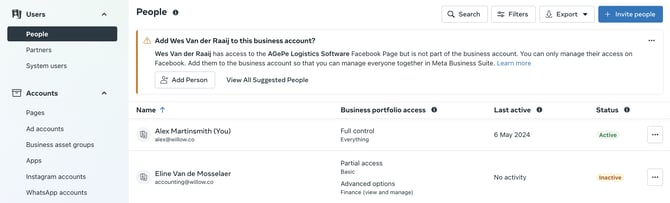
If you do not have full control, you must ask someone with full control to grant you this. They can do this by clicking on the 3 dots to the right of your name and toggling the permissions.
Check that your page is connected to your Meta account
If you are using a Business Portfolio (Meta's new page management system, this is now the default), you should check that your page is available to integrate. To do this, go to Meta Business Suite → Settings → Pages:
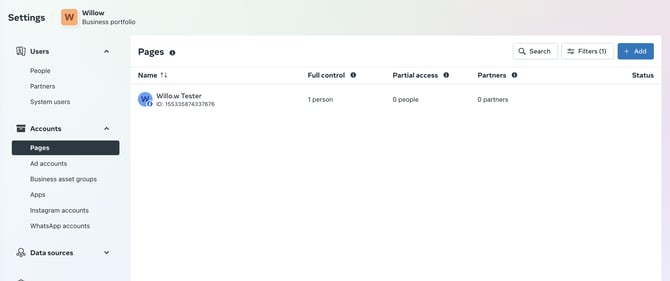
If your page does not show there, you should click Add → Claim an existing page → Follow the steps to add the page. Once done, your page should show up.
This process is the same for Instagram pages.
Check that you are assigned as a user to the page
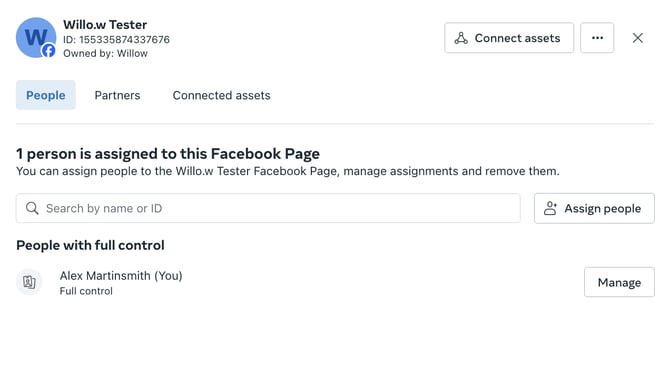
Often, users might be an admin on the Business Portfolio but not on the Pages managed within the portfolio. To check if this is the case, go to Business Suite → Settings → Pages and click on the page you are wanting to connect.
You should ensure that:
- Your name appears in this list - if not, add yourself as someone with Full Control. If you cannot do this then you need to ensure your account has the right credentials. See the first solution in this section.
- That you are assigned Full Control. If you have partial access, you should change this.
Ensure you are giving Willow access to your pages during integration
After adding a channel from Willow, you'll be taken through Meta's integration process. If it's the first time you're doing this, the first screen will look like this:
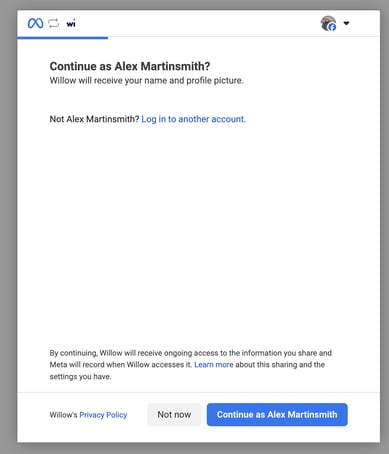
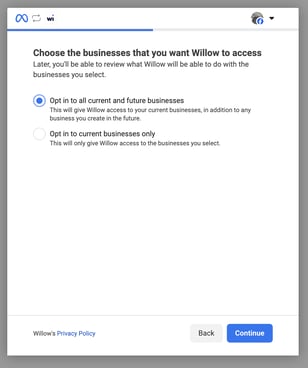
You should click continue and you'll get presented with the below screen. Here, it is preferred that you select the option "Opt in to all current and future businesses". However, if you do not want to give Willow access to all the portfolios you are an admin of you must make sure that you select the business portfolios that the page you are wanting to connect is a part of. We cannot access any pages that you do not grant us access to.
Clicking continue will show this page. Again, it is preferred that you grant us access to all current and future pages but if you want to remove access to a few you should ensure you select the right pages.
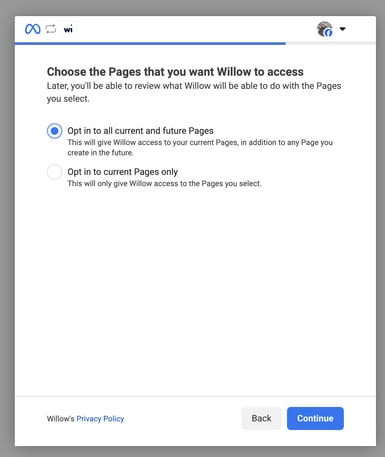
⚠️ It is important to note that selecting "Opt in to current Pages/Businesses only" will not give us automatic access to any new accounts you add in the future.
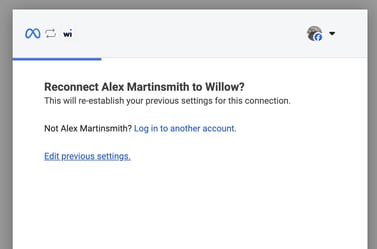
If you have already connected your account before, you'll see this screen. If your page is not showing, you should click Edit previous settings and follow the above steps to ensure you have given us permission to access your business/page.
Still stuck?
Your coach answers within 1 business day — no ticket queue.